Role description: Tridion Architect, team lead
Techniques used: Tridion, Prince2, .NET, SQL 2000
Period: 02-2007 until 12-2007
At the Dutch Chamber of Commerce I was issued the job of getting a failed web project up and running. … was the implementation partner. I have been directing their efforts and straightening out the Tridionarchitecture and FO for a successful go live. In addition I set up and gave a Tridion course for the web editors (30) at the Chamber of Commerce.
The problems that were at the base of the failing project were at every level: Tridion Blueprinting, Tridion installation, DB performance, code quality, functional mismatches, HTML templating.
The biggest problem was caused by a wrong choice for the blue print architecture. It involved making copies of the content publication for each regional chambre. The practice of copying content should never be done other then for another website or another language. Making copies of data is essentially wrong and should be done with great consideration of the consequences.
The site had its go live in december 2007 www.kvk.nl. One of the great achievements is getting 40K pageviews an hour out of just one Tridion presentation server. In addition generating the 13 different navigation files is done in under 5 seconds.
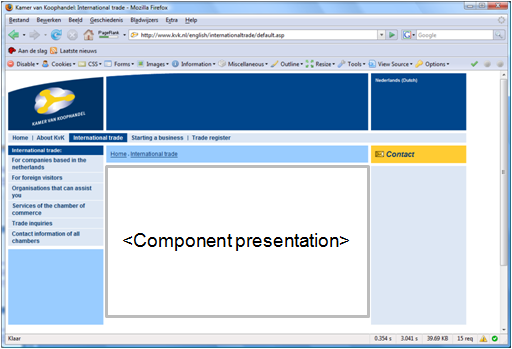
 The Page Template (PT) defines the overall layout of a page. It is in fact a master page which defines the header, footer and navigation on a particular page type. It also defines where Component Presentations are placed on the page. The picture belows shows what is defined in the Page Template